
PryoLearn
1
Overview
The Challenge
Many learning apps overwhelm users with content and make it difficult to track progress.
The Goal
Create a simple, engaging, and mobile-first learning experience that helps users discover content, stay motivated, and monitor their progress.
2
Research & Strategy
My research focused on understanding the challenges users face when using online learning platforms. Through reviewing existing educational apps and identifying common usability issues, I discovered three key opportunities to improve the learning experience.
Simplified Navigation
Many learning platforms contain complex menus and overcrowded interfaces that make finding content difficult. PryoLearn was designed with a clear navigation structure that allows users to quickly access courses, lessons, and progress tracking.
Clear Progress Tracking
Users are more likely to stay engaged when they can easily see their accomplishments. Visual progress indicators and course completion tracking were incorporated to help learners understand their journey and maintain motivation.
Personalized Learning Experience
Students have different goals, interests, and learning styles. PryoLearn uses personalized recommendations and organized content pathways to help users discover relevant material and focus on what matters most to them.
3
Wireframe
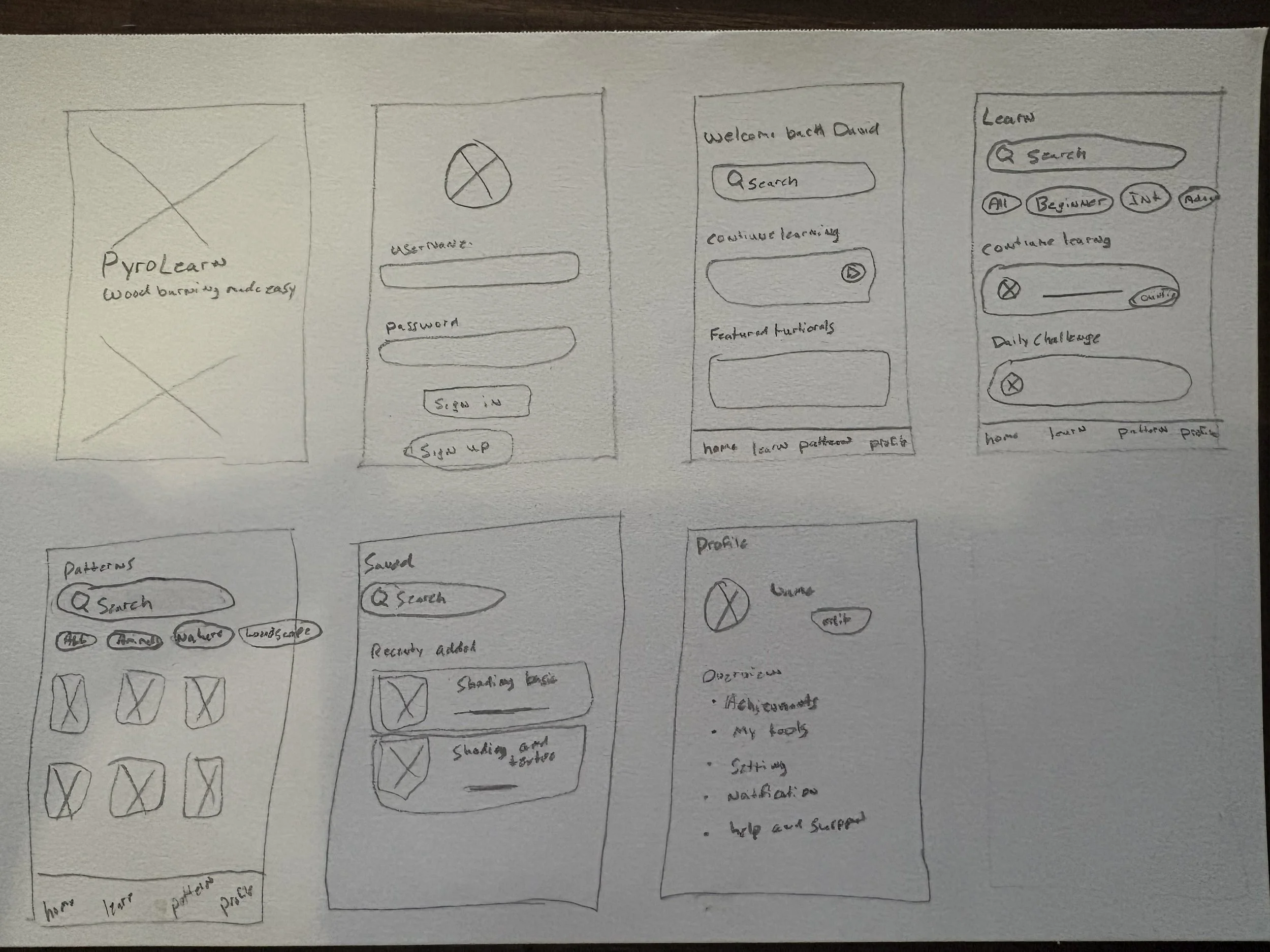
I began by creating low-fidelity wireframes to define the user flow, information architecture, and overall experience of PryoLearn. This helped me focus on usability and content hierarchy before moving into visual design.
The wireframes map the learner's journey from onboarding and login to discovering courses, saving resources, and managing their profile. By testing layouts and navigation early in the process, I reduced friction and created a more intuitive learning experience before developing the final UI.
4
Final Design
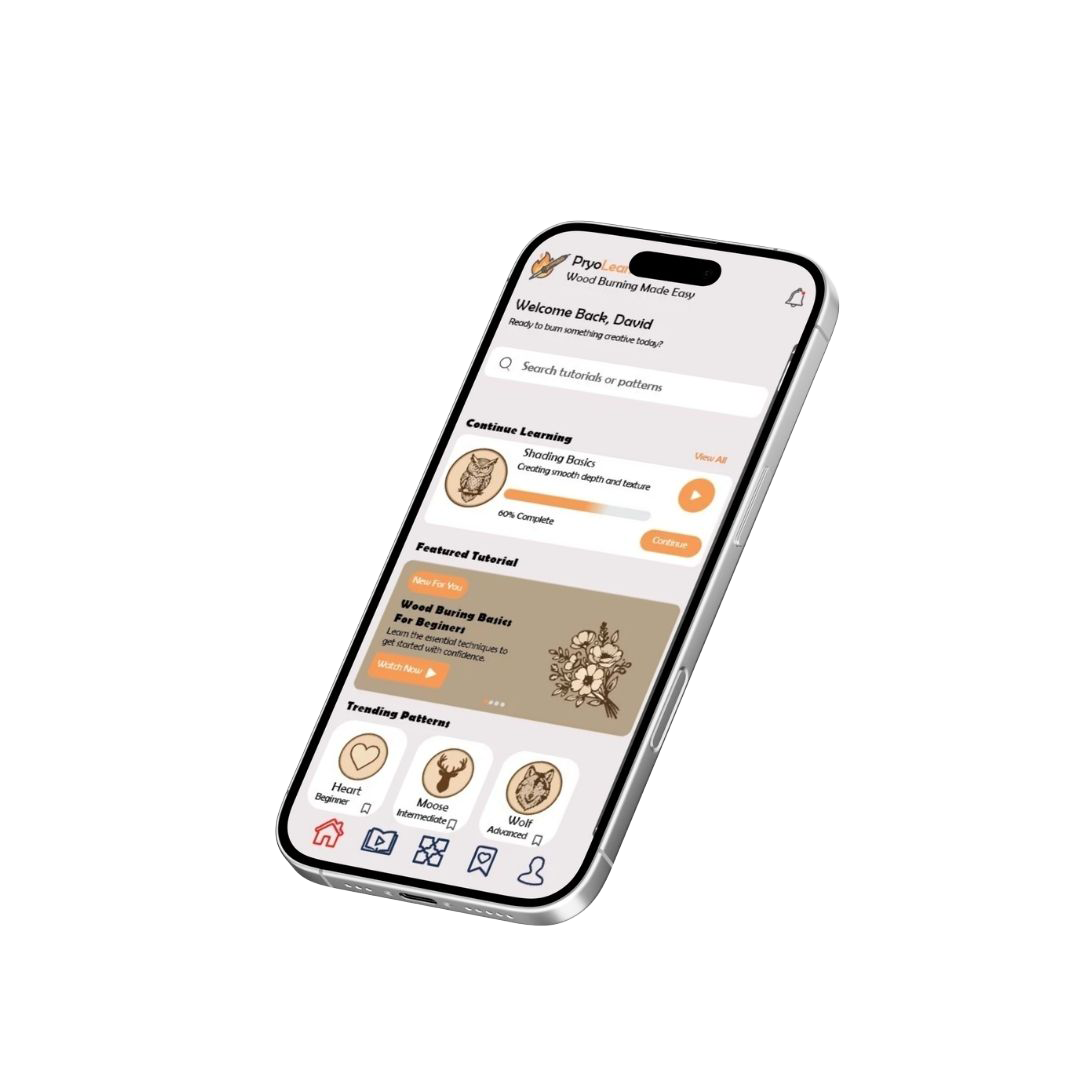
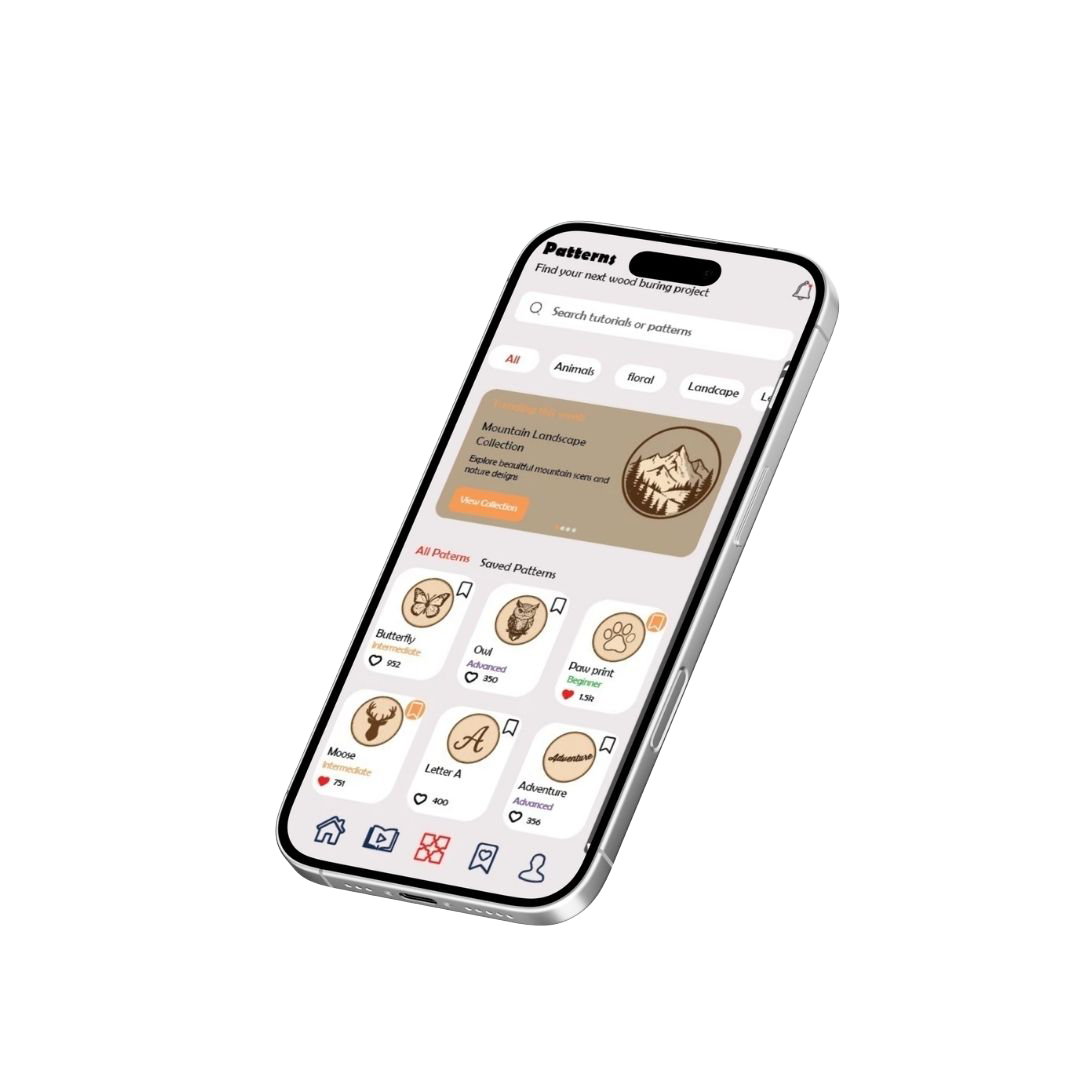
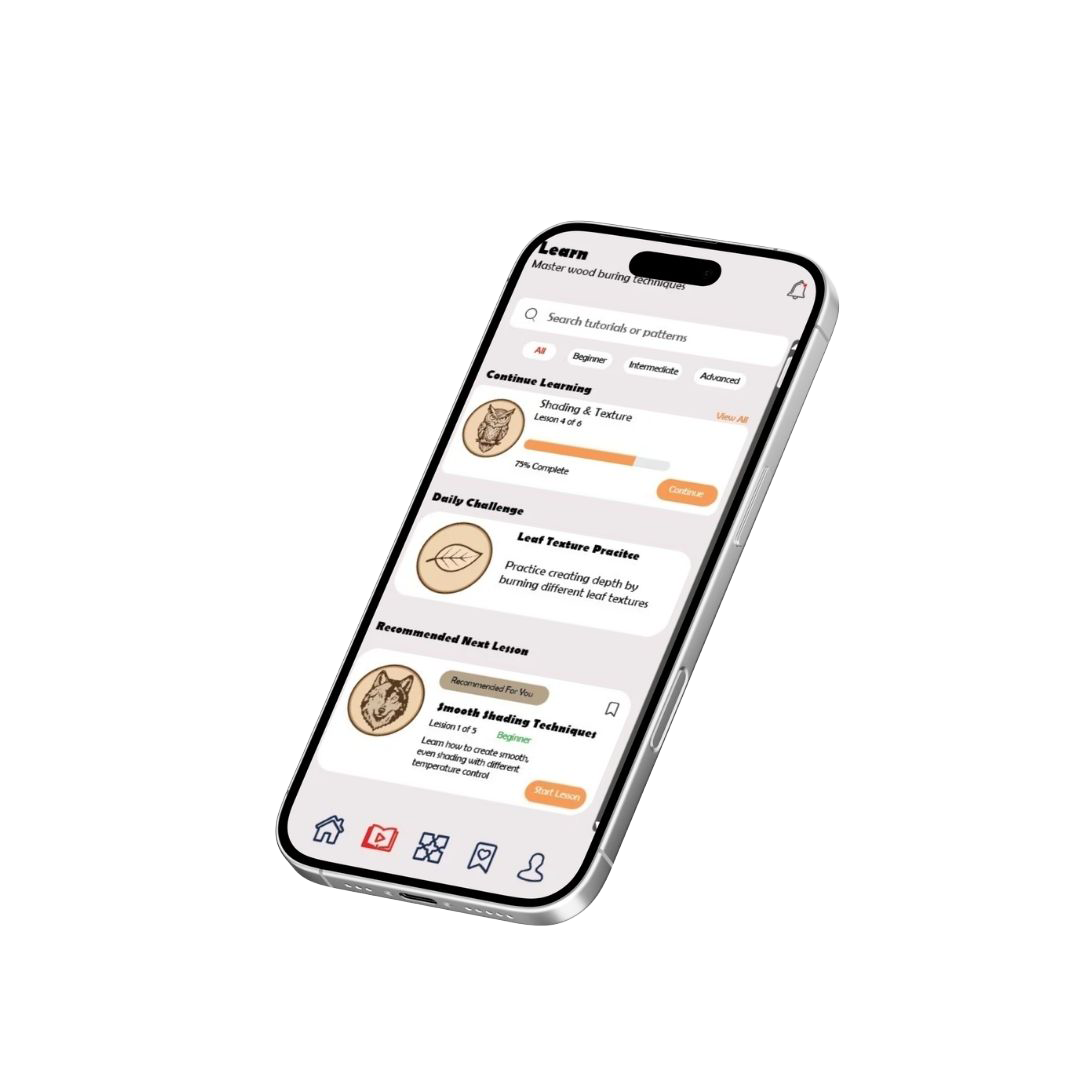
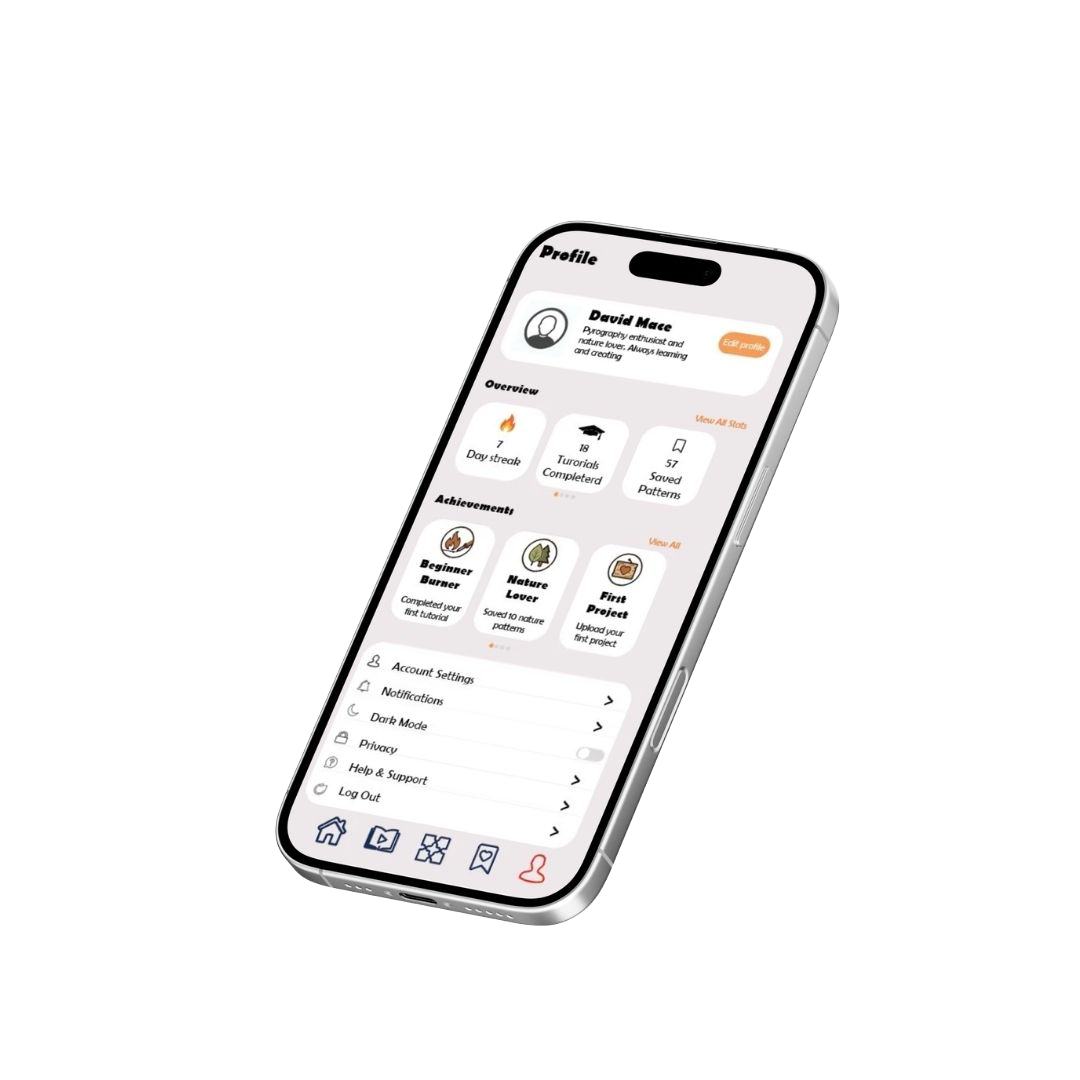
With the structure and user flow defined, I developed high-fidelity designs that prioritize clarity, accessibility, and engagement. My objective was to craft an approachable interface that helps users locate content quickly and continue learning without distraction.
The final product includes a personalized home screen, simplified course discovery, saved resources, and intuitive profile management. Throughout the process, I emphasized visual hierarchy, consistency, and straightforward navigation to deliver a user-centered experience that supports learners at every stage of their journey.
5
Results & Reflection
PryoLearn gave me the chance to run the full UX/UI process from research and wireframes to prototypes and the final interface. The toughest part was organizing curriculum and resources so they felt intuitive without overwhelming learners.
This project sharpened my information architecture and user flow skills and reinforced my understanding of visual hierarchy and user-centered design principles. The wireframing phase was especially useful it let me test and refine navigation early, so the high-fidelity screens were more focused and effective.